观察tockens的正确姿势
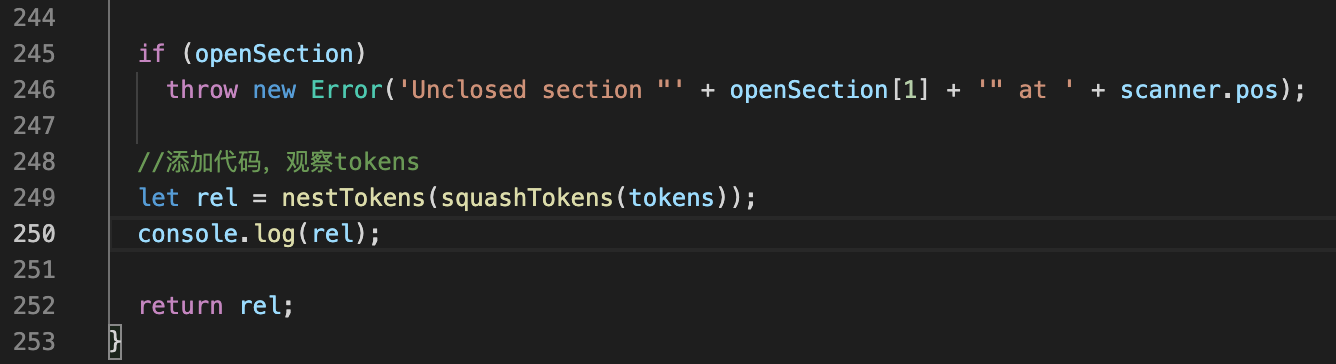
let rel = nestTokens(squashTokens(tokens));
console.log(rel);
- 找到parseTemplate这样一个实现函数,在源代码的第248行左右进行如下更改
复杂情况
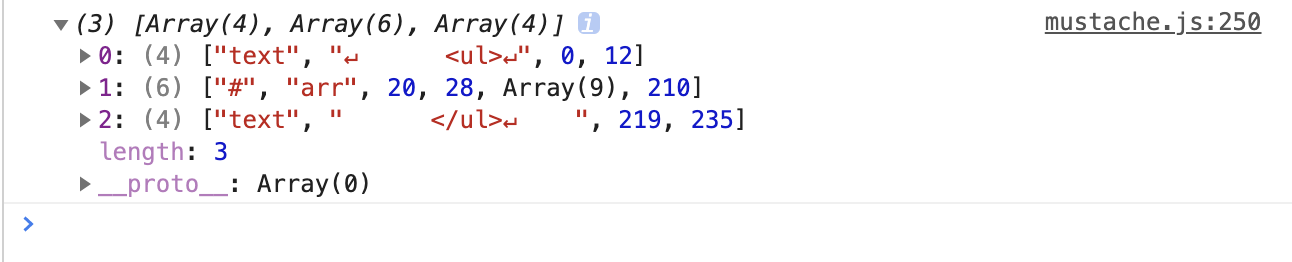
- tokens就是嵌套数组,每一个数组单元就是一个token,它描述了截取到的内容
<!DOCTYPE html>
<html lang="en">
<head>
  <meta charset="UTF-8">
  <meta http-equiv="X-UA-Compatible" content="IE=edge">
  <meta name="viewport" content="width=device-width, initial-scale=1.0">
  <title>使用mustache</title>
</head>
<body>
  <div id="container"></div>
  <script type="module">
    import mustache from './lib/mustache.js';
    const mustacheStr=`
      <ul>
        {{#arr}}
          <li>
            <h3>{{name}}的信息</h3>
            <span>名字:{{name}}</span>
            <span>年龄:{{age}}</span>
            <span>性别:{{sex}}</span>
          </li>
        {{/arr}}
      </ul>
    `;

    const data={
      arr:[
        {
          name:'小红',
          age:21,
          sex:'男'
        },
        {
          name:'小李',
          age:22,
          sex:'男'
        },
        {
          name:'小王',
          age:21,
          sex:'男'
        }
      ]
    };
    const domStr=mustache.render(mustacheStr,data);
    document.getElementById('container').innerHTML=domStr;
  </script>
</body>
</html>
mustache模板引擎简单情况下用js正则表达式实现
<!DOCTYPE html>
<html lang="en">
<head>
  <meta charset="UTF-8">
  <meta http-equiv="X-UA-Compatible" content="IE=edge">
  <meta name="viewport" content="width=device-width, initial-scale=1.0">
  <title>实现简单模板替换</title>
</head>
<body>
  <script>
    const mustacheStr=`
      <h2>我叫{{name}},我的年龄是{{age}},性别{{sex}},我想要改变世界</h2>
    `;

    const data={
      name:'小红',
      age:21,
      sex:'女'
    };

    function render(mustacheStr,data){
      return mustacheStr.replace(/\{\{(\w+)\}\}/g,function(template,$1){
        return data[$1];
      });
    }

    const domStr=render(mustacheStr,data);
    console.log(domStr);
  </script>
</body>
</html>
github源码地址
手写mustahce模板引擎